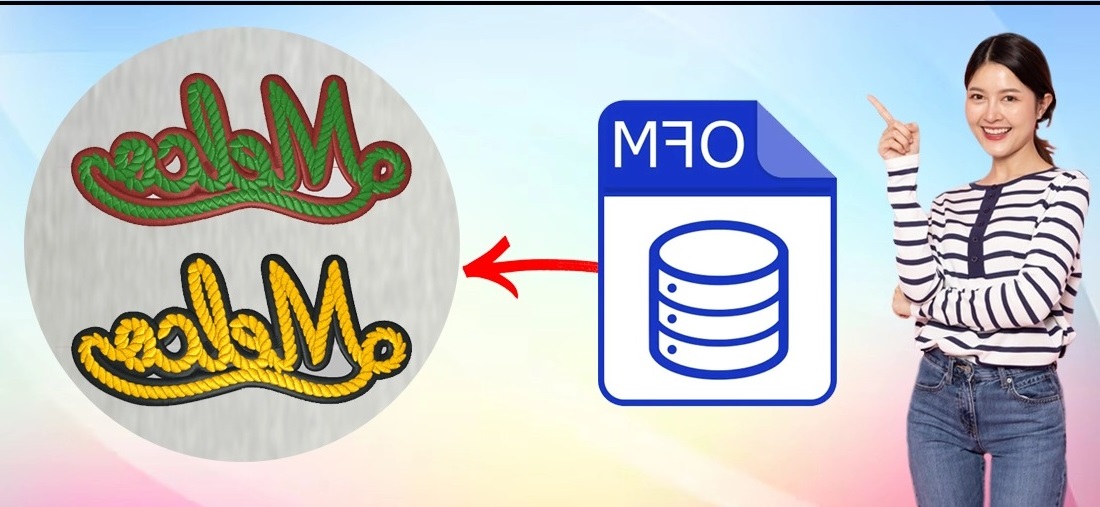
You have a beautiful embroidery design, a top-of-the-line Melco or Bernina machine, and the perfect fabric. Everything is set for a flawless project. Yet, when you load the file and press start, the result is disappointing. Stitches are misaligned, thread breaks occur, or the colors look off. This common frustration often points to a single, overlooked step: the file itself. For machines that use the OFM format, the journey from a digital design to a perfect stitch-out hinges on a precise technical process. Understanding this process, and more importantly, how to convert an OFM file correctly, is the key to unlocking consistent, professional-quality embroidery.
First, let’s clear up a major misconception. Converting an OFM file is not as simple as renaming a .JPG to a .PNG. An OFM file is a specialized set of instructions, a detailed recipe written in a language your embroidery machine understands. It dictates the needle’s path, stitch type, color sequence, and every trim command.
Accurate conversion means translating a design’s blueprint from another format (like DST or PES) into a flawless OFM “recipe” that your specific machine can execute perfectly. A poor conversion is like giving a chef a recipe with missing steps or wrong measurements—the final dish will be a mess. When the file instructions are precise, the machine can perform at its best, leading to superior stitch registration, tension, and overall appearance.
One of the most visible signs of a poor file conversion is bad registration. This is when different elements of your design—like the outline of a shape and its fill—do not line up correctly. You might see gaps, overlaps, or a slight shadow effect.
An accurately converted OFM file ensures clean registration by optimizing the stitch path. It organizes the sewing order logically, minimizing long jumps between sections that can pull the fabric out of alignment. It also correctly calibrates the machine’s movement for the specific OFM format, ensuring that when the needle returns to a point, it hits the exact spot every time. This precision is what gives professional embroidery its crisp, clean, and defined look.
Thread breaks and puckering are not always the fault of the machine’s settings; often, the file is the culprit. Within an embroidery file, settings like stitch density and pull compensation are embedded. Stitch density refers to how close together the stitches are packed.
An inaccurate conversion might carry over a density setting that is too high for the OFM format or your chosen fabric. This forces too much thread into a small area, creating excessive tension that leads to breaks and a stiff, board-like feel. Accurate conversion tailors these parameters. It adjusts the density to suit the design and material, and it applies the correct pull compensation (slightly widening shapes to account for thread pull), allowing the stitches to lay flat and smooth without stress on the thread.
Have you ever stitched a design only to find the colors are different from the screen preview? Or that fine details have turned into a dense, blurry blob? File conversion directly impacts this.
Accurate OFM conversion faithfully maps the digital color palette to the physical thread colors your machine uses. It also intelligently handles complex details. During conversion, a skilled process will simplify tiny elements just enough to be stitchable without losing their definition, choosing the optimal stitch type—like a delicate run stitch instead of a dense satin stitch—for hair-thin lines. This preserves the artistic intent of the original design, ensuring what you see is truly what you stitch.
So, how is this accuracy achieved? It is rarely done with a simple “click-convert” software. The professional approach is a blend of technology and expertise. It often involves using specialized digitizing software, like Melco’s own DesignShop, which natively understands the OFM format.
The process typically starts by opening the source file (e.g., a .DST) in the software. From there, it is not just an export. A knowledgeable digitizer will review and adjust the stitch sequence, check and correct density values, redefine color blocks accurately, and set the appropriate underlay for stability. They essentially audit and fine-tune the entire instruction set for OFM compatibility. This meticulous, manual tweaking is what separates a functional file from a flawless one. For the best results, many businesses outsource this to professional digitizing services that specialize in OFM formats, guaranteeing a file engineered for success.
Accurate OFM file conversion is the invisible bridge between a good design and a great embroidered piece. It is the technical assurance that allows your machine to operate with precision, preserving detail, ensuring alignment, and maintaining quality from the first stitch to the last. By investing in precise conversion—whether by mastering the specialized software or partnering with an expert—you eliminate a major variable in the embroidery process. You move from hoping the file works to knowing it will, transforming potential frustration into consistent, professional results every single time. In the world of embroidery, quality truly does start with the file.

